A free slogan maker is easy to find and hard to judge, because almost none of them say what free leaves out. This one costs nothing, asks for no account and has no cap on runs. It also has limits, and this page names them plainly: what it does well, what it skips, and the point where paying someone starts to make sense for a Shopify store.
Is there a genuinely free Shopify slogan maker?
Yes. This one asks for no card, no email and no account, and it does not stop you after a set number of runs. You type a description of the shop, it returns a fresh set of lines, and you can run it again as often as you like.
The word free gets stretched a lot in this category. Some tools show three lines and hide the rest behind a signup. Some generate a full list and then ask for an email before you can copy anything. Some are free for a trial week and then quietly become a subscription.
I would judge any free tool by one test: can you get a usable shortlist without handing over anything? If the answer is no, the tool is not free, it is a lead form with a text box on top. Here the answer is yes, and the price of that is the list of things below.
What do you give up with a free slogan maker?
Three things, mainly. It does not learn your brand voice, it does not screen lines against trademarks, and it does not show the line next to your logo. Each of those is work a person or a paid tool can do, and each matters more as the store grows.
- No brand-voice training. Every run starts from the words you type and nothing else. It has never seen your product pages, your emails or the way your customers talk, so it cannot match a tone you have already built.
- No trademark screen. The generator does not check whether a line is already in use or registered in your category. That check is yours to make before anything is printed.
- No logo lockup preview. You see the line as text in a list. You do not see it set beside your logo at small sizes, which is where a long line usually fails first.
- No memory between runs. It does not remember which lines you liked last time, so a shortlist lives wherever you paste it, not here.
- No second opinion. It will give you 25 candidates with equal confidence. Deciding which one fits is still your job.
None of those stop a new store from getting a good line. They are the reasons an established store eventually stops using a free tool on its own.
How many slogans can you generate for free?
As many as you want. Each run returns 25 lines, sorted into eight styles you can filter by, from professional and bold to playful, elegant and classic. There is no daily cap, so a vague first run costs you nothing but the few seconds it took.
Volume is the real advantage of a free generator, and it is worth using properly. Twenty five lines is not twenty five answers. It is enough raw material to notice which direction keeps producing lines you like, and which direction produces nothing worth keeping.
My own habit is three runs with three different descriptions, then a shortlist of five drawn from all three. The best line usually comes from the run you expected least from, because a different description pushes the generator toward a different angle on the same shop.
Do you need an account to use it?
No. There is no signup, no login and no email gate in front of the results. You type a description, press the button, and the lines appear on the same page. Copy the ones you want and leave, and nothing follows you around afterwards.
What is kept is the description you typed and the lines that came back, saved together on our side as a query. Nothing that identifies you is attached to it, because the tool never asks who you are. If your description includes a product name you have not announced yet, keep that in mind and describe the product instead.
One practical detail: punctuation is dropped from the description before the lines are written. Plain words work best. An ampersand or an apostrophe in your input will not carry through, so write the shop out the way you would say it aloud.
How do you get better lines out of a free tool?
Describe the buyer, not just the product. A run on two words returns lines any shop could use. A run on who buys, what they care about and one specific detail returns lines that only fit your store, which is the whole point of having one.
Compare two descriptions for the same shop. Earrings gets you lines about sparkle and style. Handmade beaded earrings sold from a kitchen table gets you lines about the kitchen table, and that detail is the one a buyer remembers.
- Name the product in the words a buyer would search.
- Add who it is for, in a phrase rather than a demographic.
- Add one detail no competitor can claim, such as where it is made or how small the batch is.
- Run it, filter by the style that suits the store, and copy anything worth a second look.
- Change one part of the description and run it again.
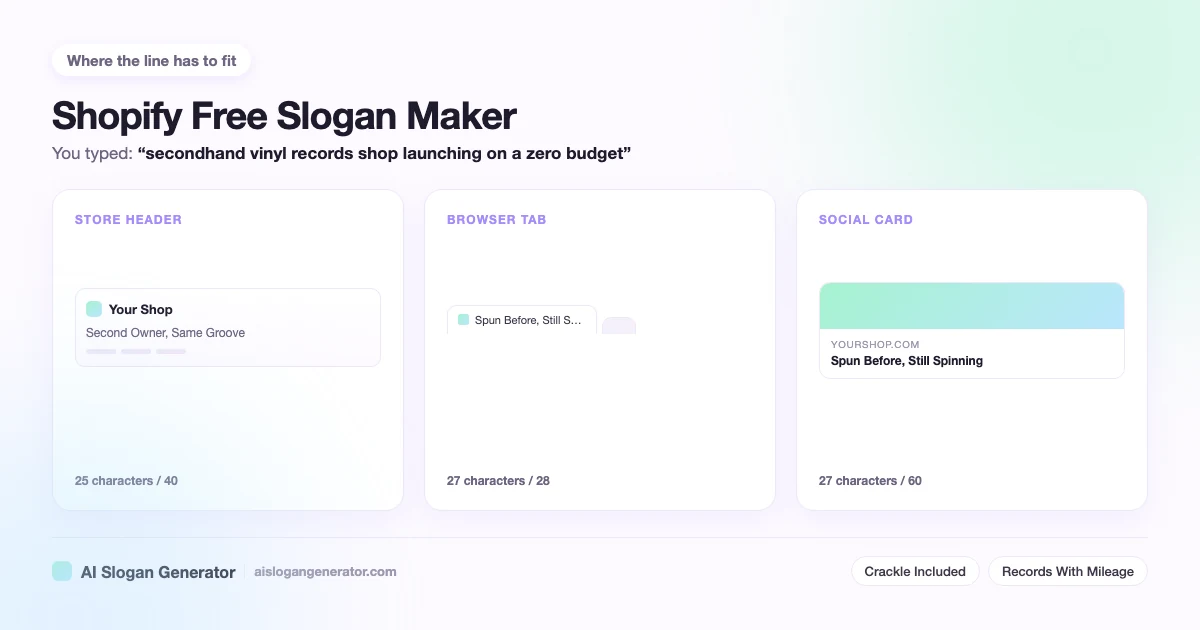
The shortlist you build this way is worth testing in the theme itself. The Shopify slogan generator page gives the character budget for the header, the announcement bar and the browser tab, which is the check every free line still has to pass.
When is a paid slogan tool worth paying for?
When the line has to carry weight a free list cannot check. That usually means you are about to print packaging, register a trademark, or spend on ads with the line in the headline. At that point a wrong line costs real money, and the missing checks start to matter.
Before launch, I would not pay. A new store changes its mind about its own positioning in the first few months, and a line bought before that settles is a line you will probably replace. A free shortlist, tested in the theme and on a phone, is the right amount of effort for that stage.
After launch, the signs that paying makes sense are specific:
- The line is going on something physical that is expensive to reprint.
- You want to register it, so somebody has to search for conflicts properly.
- You have a brand voice worth matching, written down, and the free lines keep missing it.
- The line will run in paid ads, where a weak one wastes budget every day it runs.
Even then, the free run is not wasted. A shortlist of ten you already like is a far better brief for a freelancer than a blank page, and it usually shortens the job. If what you need is a line that stays beside the logo for years, the tagline generator page covers how to judge durability, and the general rules for length and style are on the slogan generator page.
What should you check before a free line goes live?
Three things, in this order. Search the exact words to see who already uses them. Check whether the line is plain description, which nobody can own, or something distinctive, which somebody might. Then paste it into your theme and look at it on a phone before you commit.
The first check takes a minute and catches most problems. A free generator writes from patterns, so a short, natural line has a fair chance of already belonging to another shop. That does not always mean you cannot use it, but you should know before you print it.
The second check is about what you can protect later. A line that only describes the product, such as a plain statement of what you sell, is free for anyone to use, including your competitors. A line with a distinctive twist is easier to defend, and also more likely to clash with someone who got there first.
The third check is the one people skip. A line that reads well in a list can wrap badly in a header, and a free tool has no idea what theme you are running. Five minutes in the theme editor settles it.